Home Office Desk Ideas: 33 Ergonomic Picks You Need
Your desk should help you feel comfortable, focused and ready to get things done. The right setup can make even a small corner feel like a productive workspace.
These Home Office Desk Ideas combine practical design with ergonomic features to help you create a desk area that works for your daily routine. Whether you’re working with a compact bedroom, a dedicated office or a shared living space, you’ll find inspiration for making every inch count.
From adjustable standing desks and clever corner layouts to minimalist laptop stations and smart storage solutions, these ideas offer options for different rooms, budgets and working habits. I’ve noticed that small details, such as monitor height, cable organization and proper legroom, can make a workspace feel much more comfortable.
Explore these 33 designs to find a setup that suits your space, supports better posture and makes your workday feel more organized. You don’t need to replace every piece of furniture to get started. Sometimes, one thoughtful change is enough to make your desk work better for you.
Adjustable Standing Desk
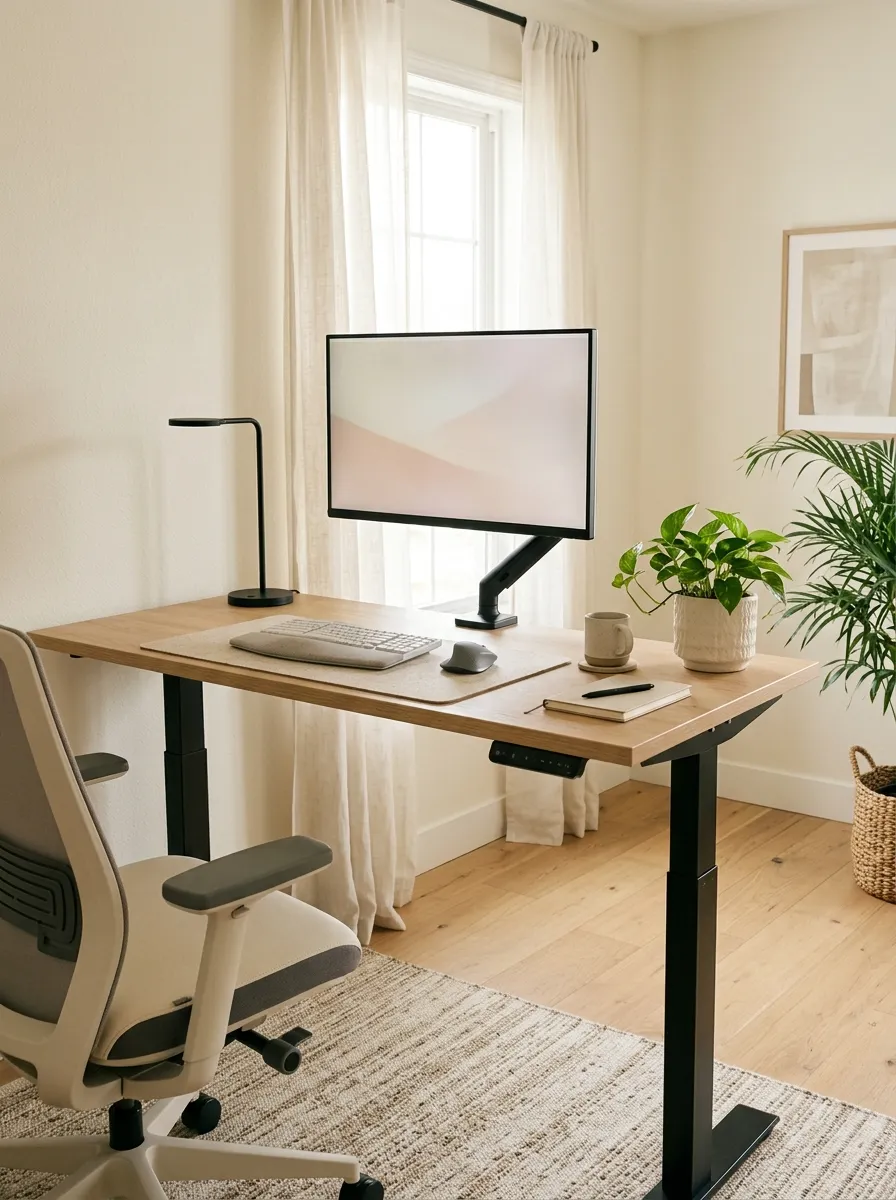
A standing desk gives you the freedom to change positions throughout your workday without leaving your workspace. Choose a model with smooth height adjustment so you can alternate between sitting and standing while answering emails, writing or attending virtual meetings.
For comfortable positioning, keep your elbows near a 90-degree angle and your wrists straight while typing. Your monitor should sit at approximately eye level, with the screen directly in front of you. Among practical Home Office Desk Ideas, this setup works especially well for people who spend several hours working at a computer.
The key is flexibility, not standing all day. Change positions regularly and adjust the desk to fit your body rather than forcing yourself to fit the furniture.
L-Shaped Corner Desk
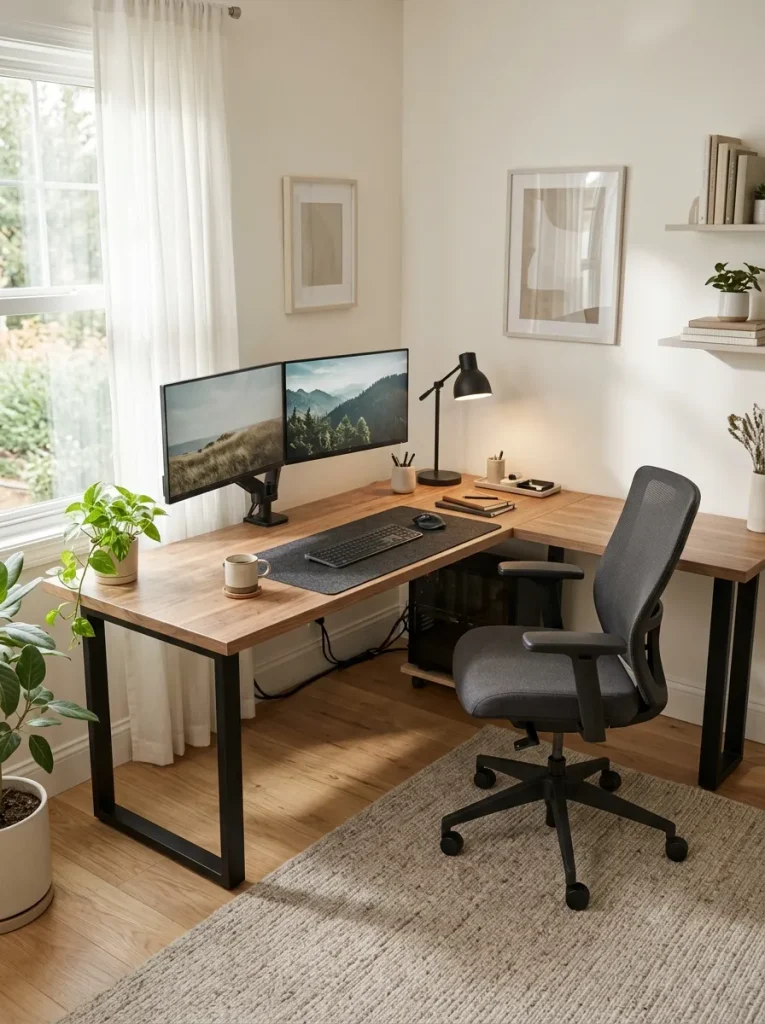
A neglected corner can become a productive workstation with an L-shaped desk. Its extended surface gives you separate zones for computer work, paperwork and everyday essentials without spreading everything across one crowded tabletop.
- Create two work zones: Place your monitor and keyboard on one side and notebooks or documents on the other.
- Choose a supportive chair: Make sure it fits comfortably beneath the desk.
- Keep frequently used items close: Store your mouse, pens and planner within easy reach.
- Manage cables: Use clips or an under-desk tray to prevent wires from hanging around your legs.
- Protect walking space: Measure both desk sides before purchasing.
This layout works especially well in home offices that serve multiple purposes. I’ve noticed that separating digital tasks from paperwork makes it easier to keep the main work surface clear. For the best results, position the computer section where screen glare from windows is minimal.
Compact Wall-Mounted Desk
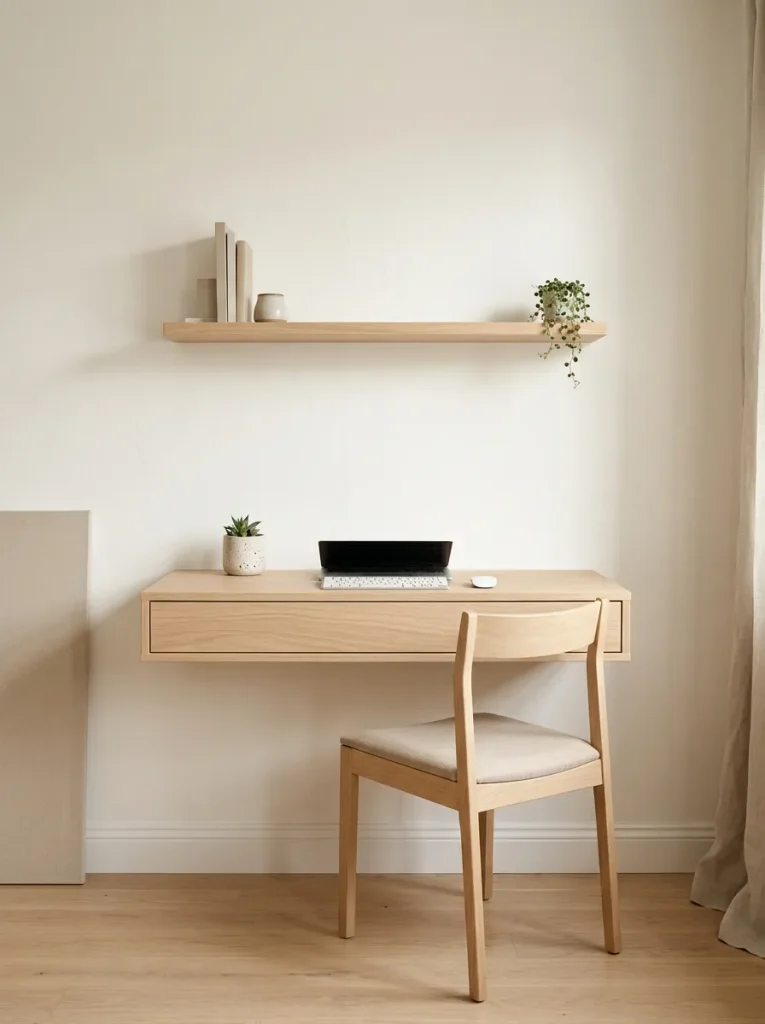
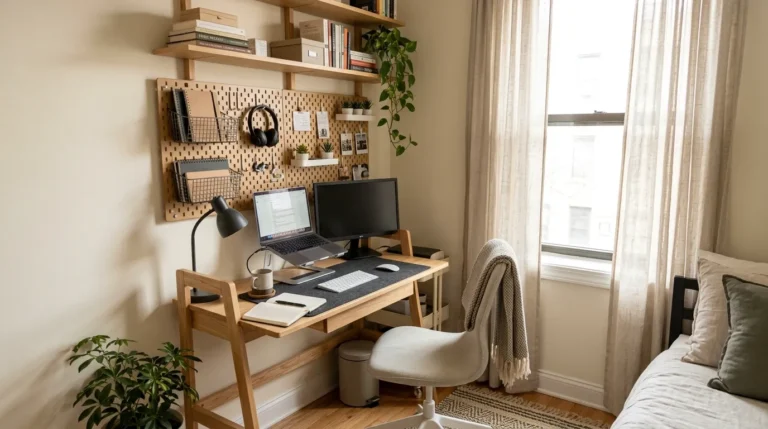
Small rooms need thoughtful furniture choices and a wall-mounted desk keeps the floor clear while creating a dedicated place to work. Its streamlined design suits bedrooms, studio apartments and narrow spaces where a traditional desk might feel bulky.
Quick Tip:
Before installation, check the wall construction and use mounting hardware suitable for the wall type and expected load. Position the desktop at a comfortable seated height and make sure your chair allows you to sit close enough without hunching forward.
Choose a desktop deep enough to hold your laptop or monitor at a comfortable viewing distance. Add a small wall shelf for supplies instead of filling the work surface with organizers. A sturdy fold-down model can also help reclaim space when your workday ends, provided its hinges and supports are rated for the intended weight.
Dual Monitor Desk Setup
BEFORE
Working with multiple windows on a single screen can mean constant switching between documents, spreadsheets and video calls. Your desk may feel crowded, especially when monitors sit on bulky stands.
AFTER
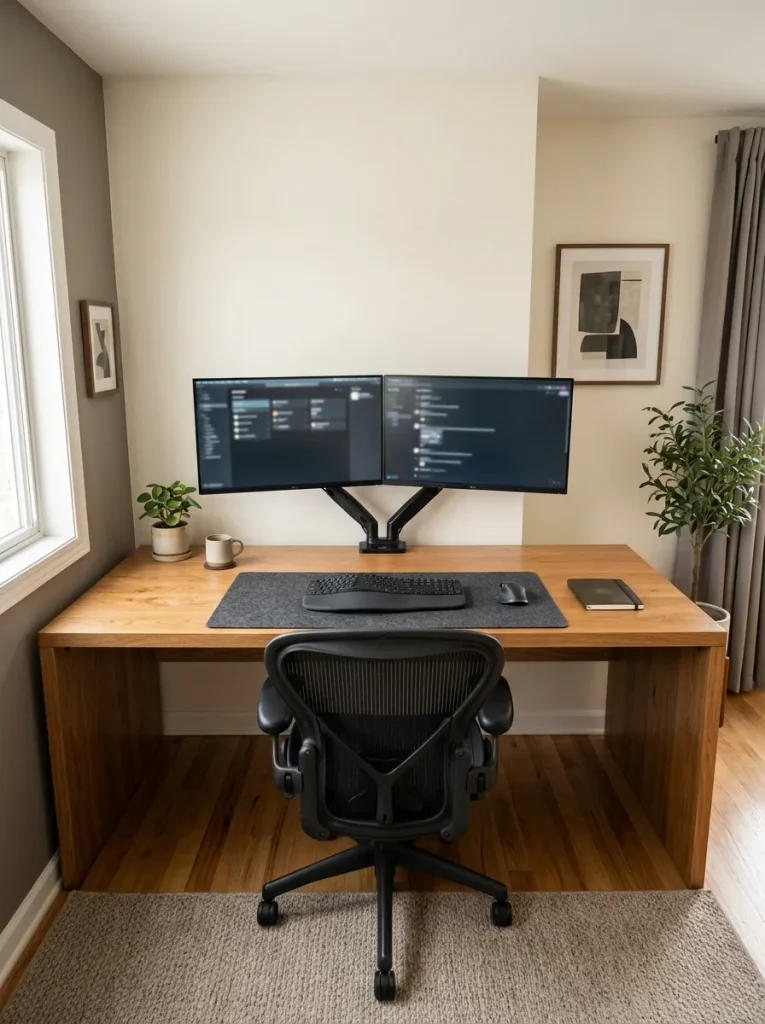
Two properly positioned monitors create a more organized digital workspace. You can keep reference material on one screen while writing, designing or editing on the other.
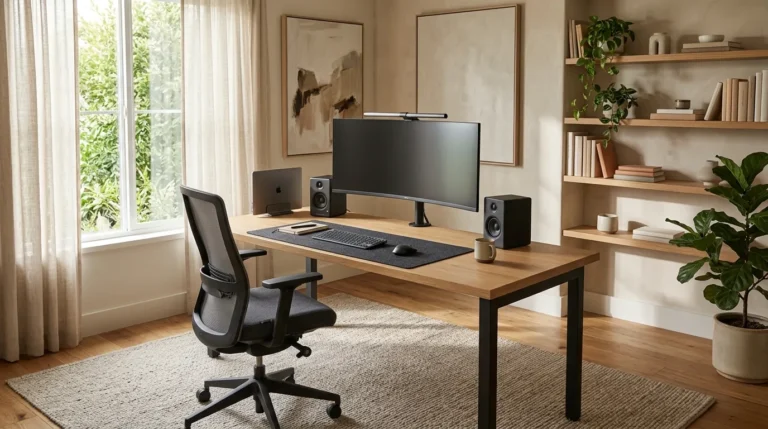
A dual-monitor setup works best when both screens match your daily tasks. Place the primary monitor directly in front of you and the secondary screen beside it, angled slightly inward. If you use both equally, center the space between them. Keep the screens at a comfortable viewing distance and adjust their height to reduce unnecessary neck movement.
Minimalist Laptop Desk
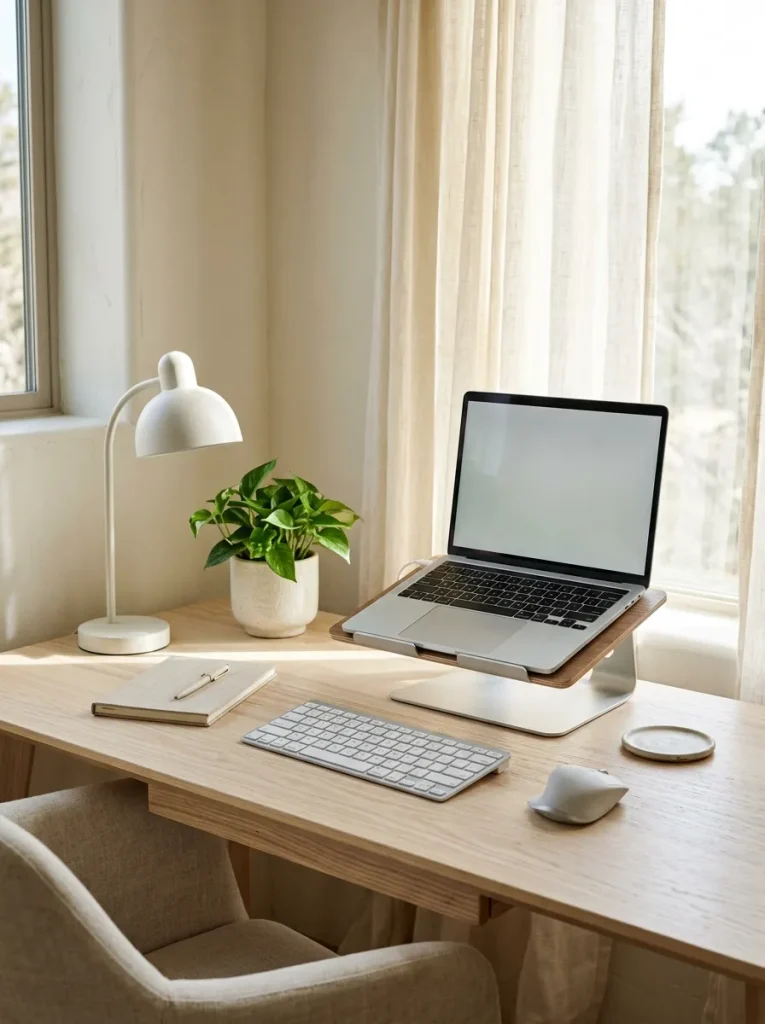
A simple laptop setup can make a small workspace feel more open without sacrificing comfort. Follow these steps to create a clean, practical workstation.
- Choose a stable desk: Select a surface with enough depth for your laptop, keyboard and mouse.
- Raise the laptop: Use a sturdy stand to bring the screen closer to eye level.
- Add external accessories: Position a separate keyboard and mouse so your shoulders stay relaxed and your wrists remain straight.
- Organize charging cables: Secure them along the back edge of the desk.
- Keep essentials nearby: Store notebooks and stationery in one compact organizer.
Minimalist furniture works best when every item serves a purpose. A raised laptop paired with external accessories is especially useful because laptop screens and keyboards are difficult to position ergonomically at the same time. Leave some empty tabletop space for notes, a drink or occasional paperwork.
Desk With Monitor Riser
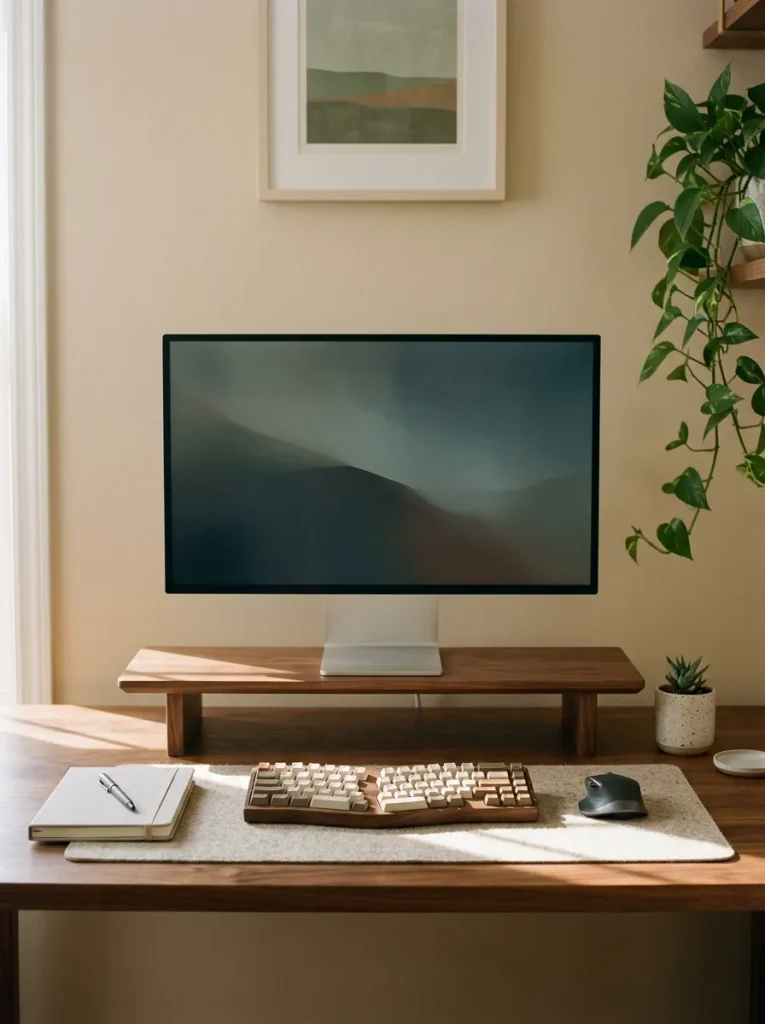
| Feature | Option A: Desk Without Riser | Option B: Desk With Riser |
| Screen height | Depends on the monitor stand | Easier to raise to a suitable level |
| Storage | Fewer items fit underneath | Space for a keyboard or small supplies |
| Desk appearance | Simple, open surface | More defined workspace |
| Setup cost | No extra purchase | Low to moderate, depending on material |
A monitor riser can improve your desk layout while creating useful storage space underneath. Choose a sturdy model wide enough to support your monitor’s base and check its weight capacity before placing equipment on it. Position the screen so you can look straight ahead without tilting your chin upward. Keep your keyboard and mouse on the main desktop, with enough room to move your arms freely.
Ergonomic Desk Chair Pairing
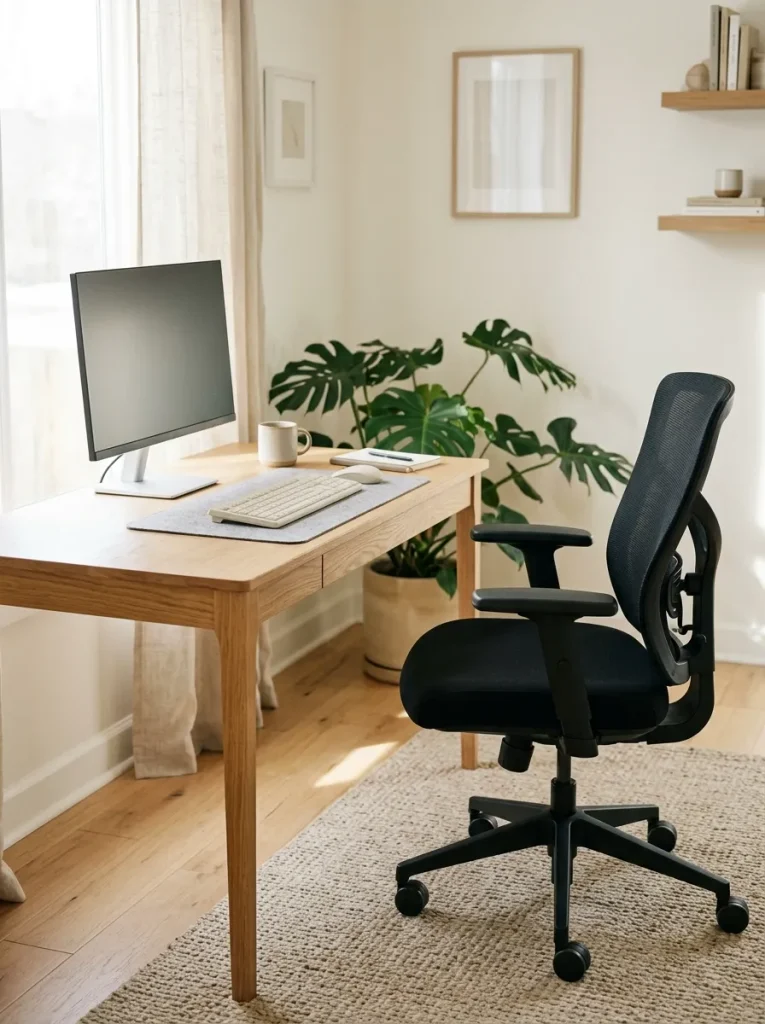
DO
- Choose a chair with adjustable seat height so your feet rest flat on the floor.
- Position the backrest to support the natural curve of your lower back.
- Adjust the armrests so your shoulders remain relaxed.
- Leave enough space to pull the chair close to the desk.
DON’T
- Don’t choose a chair based on appearance alone.
- Don’t let your feet dangle while working.
- Don’t lean forward because the desk is too high.
- Don’t keep armrests so high that your shoulders rise.
The right chair and desk should work together rather than compete for space. I’ve noticed that even a well-organized workstation can feel uncomfortable when the chair sits too low or the armrests prevent you from getting close to the keyboard. Test the adjustments before committing to a chair.
Natural Wood Desk Setup
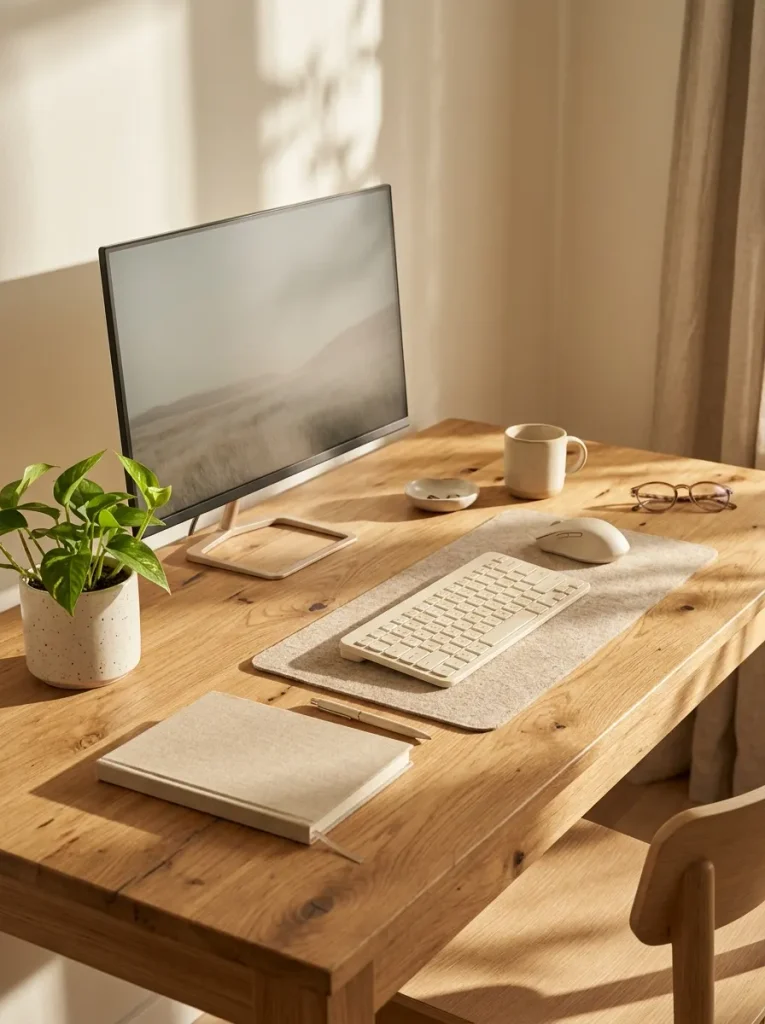
Cost: Moderate, depending on wood type and construction.
Style: Scandinavian, minimalist or contemporary.
Best For: Bedrooms, small offices and neutral interiors.
Maintenance: Wipe with a soft cloth and follow the manufacturer’s care instructions.
Result: A warm, uncluttered workspace with a natural finish.
Natural wood brings warmth to a home office without requiring extra decoration. Oak, ash and walnut finishes offer different shades, so choose one that complements your existing furniture. Check the desktop dimensions before buying, especially if you use an external monitor. A smooth, spacious surface gives your keyboard, mouse and notebook enough room without making the setup feel crowded.
Floating Shelf Desk Combo
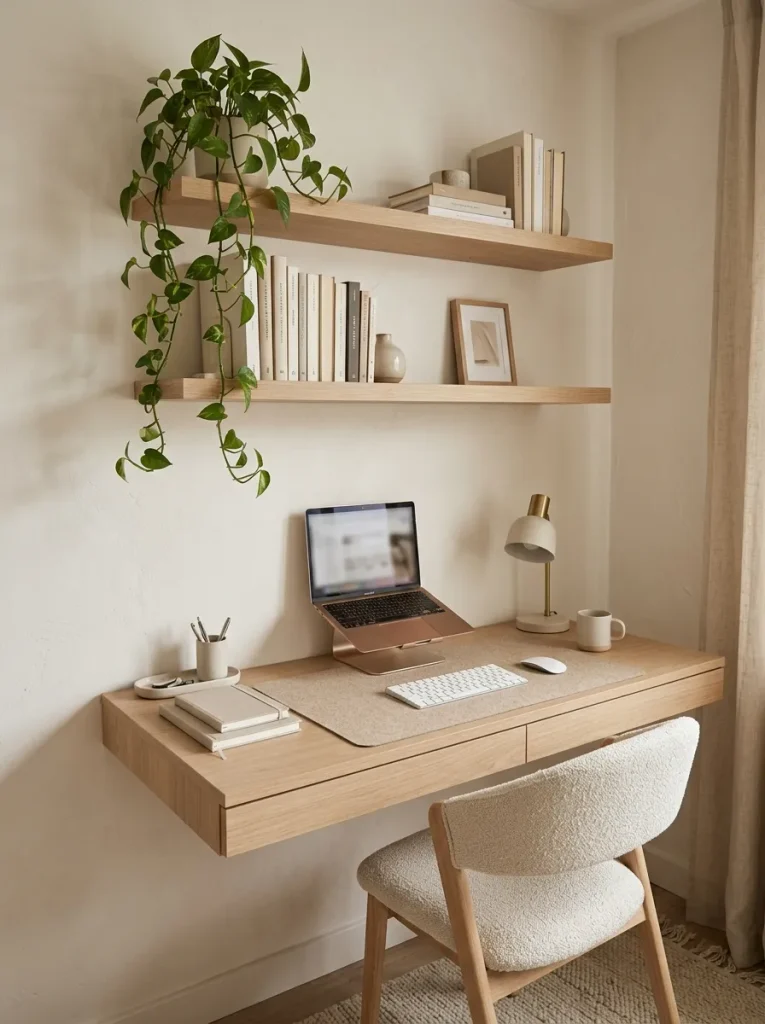
A floating shelf and desk combination makes vertical space useful while keeping the floor open. The desktop provides room for daily computer work, while shelves above hold books, stationery and lightweight decorative accessories.
For a comfortable arrangement, keep frequently used supplies on the lowest shelf or desktop instead of reaching overhead repeatedly. Leave sufficient space between the desktop and lower shelf so your monitor fits without forcing you to look downward. Secure both the desk and shelves with appropriate hardware for the wall construction and expected load. This arrangement is particularly useful in bedrooms, narrow rooms and compact apartments where every inch matters.
U-Shaped Executive Desk
BEFORE
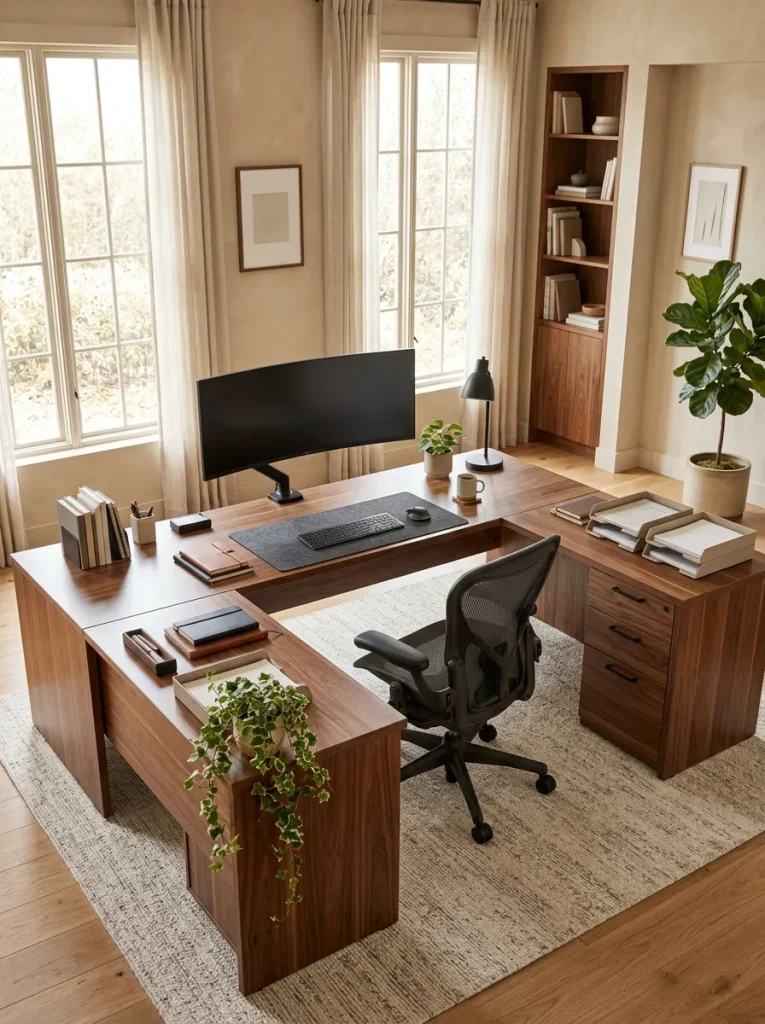
A single narrow desktop can become crowded when you need space for computer work, paperwork and office supplies. Documents pile up beside your keyboard, leaving little room to work comfortably.
AFTER
A U-shaped desk creates separate work zones around your chair. One side can hold your computer, another can accommodate paperwork and the remaining surface can store frequently used supplies.
Measure the room carefully before choosing this layout. Leave enough clearance behind the chair and around the desk so you can move freely. Keep your primary monitor directly ahead and place secondary work areas within a comfortable reach. This arrangement suits dedicated home offices, particularly for people who regularly switch between computer tasks and physical documents.
Built-In Drawer Desk
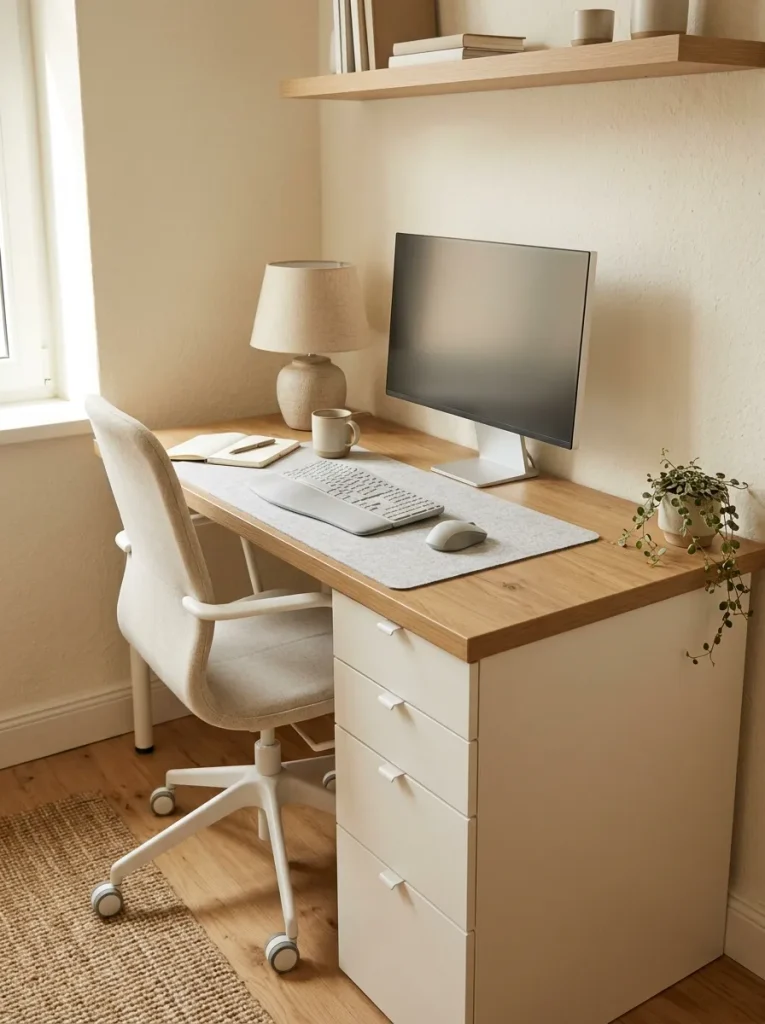
A desk with built-in drawers helps keep everyday clutter out of sight while leaving your main work surface available for important tasks.
- Sort your supplies: Separate stationery, cables, documents and personal items before organizing.
- Assign each drawer a purpose: Keep writing tools together and store paperwork in a separate drawer.
- Use small dividers: Prevent clips, chargers and other tiny items from becoming tangled.
- Keep essentials accessible: Place frequently used supplies in the top drawer.
- Protect legroom: Check that drawer units do not interfere with your knees or chair.
Built-in storage is especially useful when your home office shares space with a bedroom or living room. Choose drawers that open smoothly and provide enough depth for your belongings. Keeping supplies organized inside the desk also reduces the need for extra storage furniture, which can make a small room feel more spacious.
Glass Top Office Desk
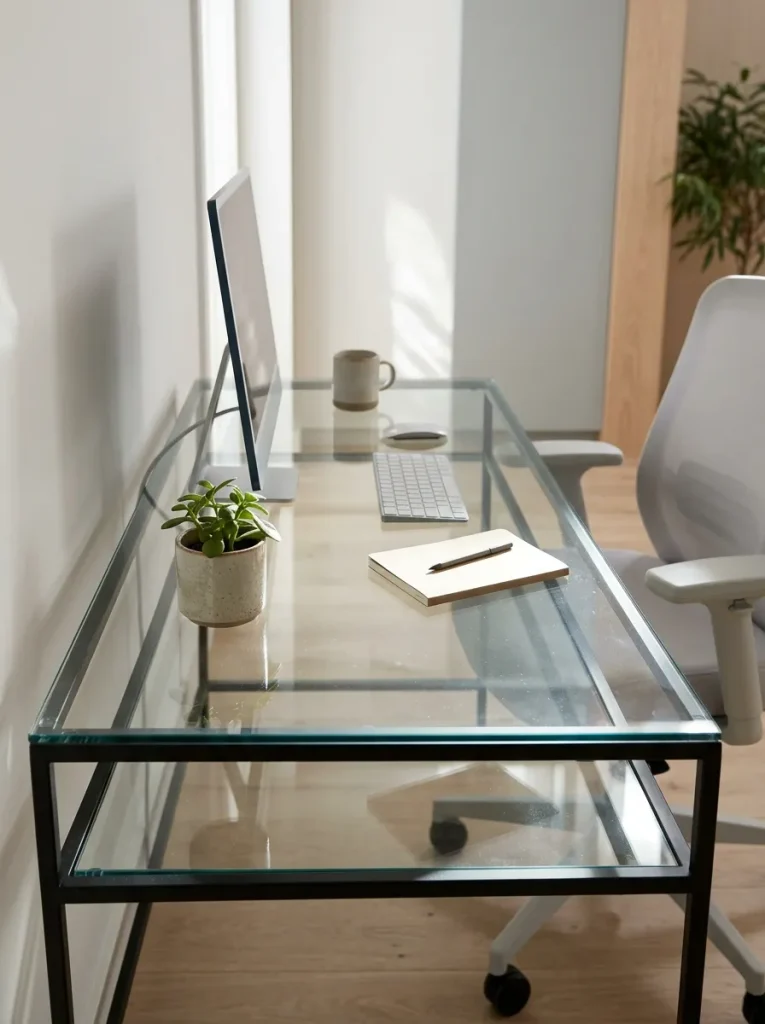
| Feature | Option A: Glass Top | Option B: Wood Top |
| Visual effect | Light and open | Warm and grounded |
| Surface care | Shows fingerprints and dust | May need finish-specific care |
| Appearance | Modern and sleek | Natural and versatile |
| Organization | Cables remain visible underneath | Cables may blend in more easily |
| Practical concern | Requires suitable tempered glass | Check durability and surface finish |
A glass desk can make a compact office feel visually lighter because the transparent surface allows more of the room to remain visible. Choose a sturdy desk made with safety-rated tempered glass and a stable frame. Use cable clips to keep wires tidy and add a desk mat to create a comfortable area for your keyboard and mouse. If fingerprints or reflections bother you, a wood desktop may be the more practical choice.
Small Space Writing Desk
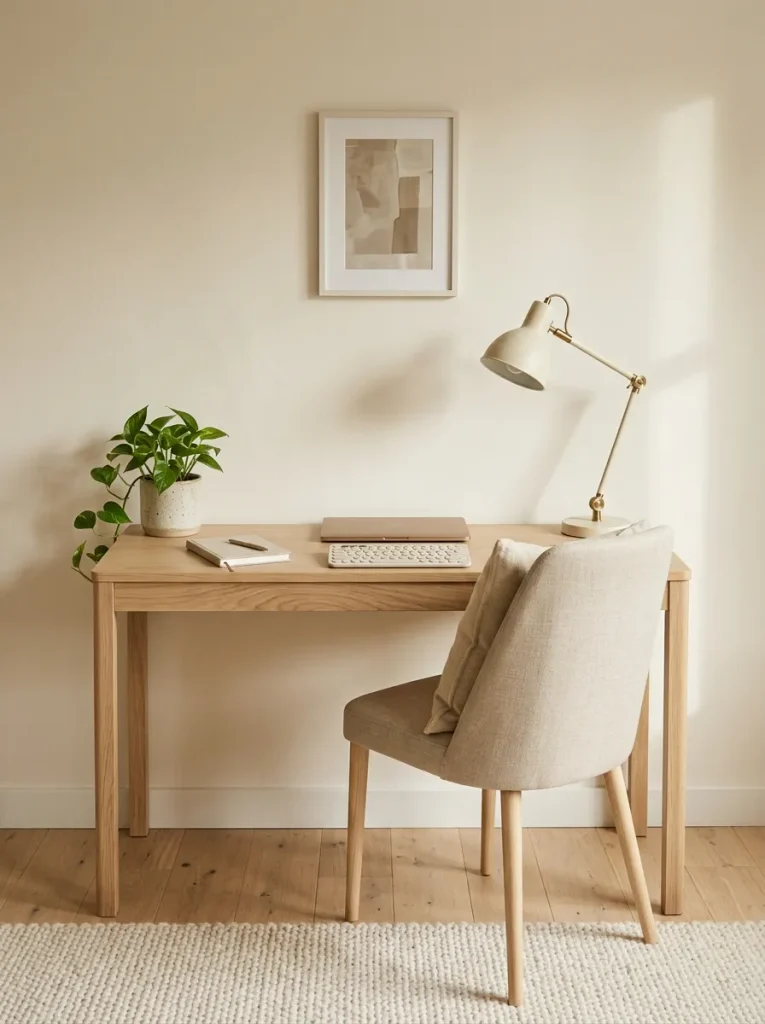
- Measure the available area: Check the wall width and depth before selecting a desk.
- Choose a slim design: Look for a compact desktop that accommodates your equipment without blocking walkways.
- Add vertical storage: Use a nearby wall shelf for notebooks and office supplies.
- Select a supportive chair: Make sure it fits beneath the desk when not in use.
A narrow writing desk can create a dedicated work zone without taking over your bedroom or living room. Keep your laptop or monitor centered and your keyboard close enough to avoid reaching forward. For longer working sessions, prioritize comfortable screen positioning and adequate legroom over decorative features. A simple desktop with one drawer can provide enough functionality for everyday tasks.
Corner Desk With Storage
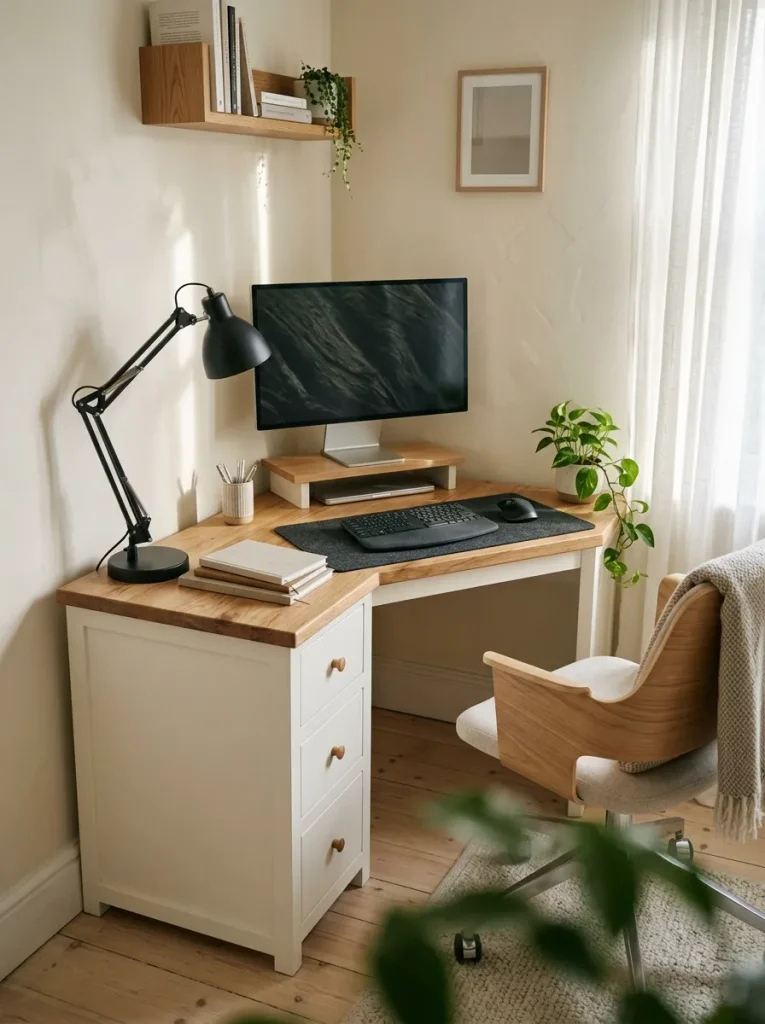
A forgotten corner can become a useful workstation when storage and desk space are planned together.
- Built-in drawers: Keep chargers, pens and small accessories out of sight.
- Open shelving: Store books and reference materials within easy reach.
- Monitor stand: Raise the screen to a comfortable viewing height.
- Cable organizers: Secure wires along the back edge of the desk.
- Compact chair: Choose a supportive model that fits the available clearance.
The best corner setups keep frequently used items close without surrounding you with clutter. Before purchasing, measure both walls and account for baseboards, power outlets and drawer openings. Position the main monitor directly in front of your usual sitting position rather than twisting toward the corner. This arrangement works particularly well in small bedrooms and multipurpose home offices.
Desk With Cable Management
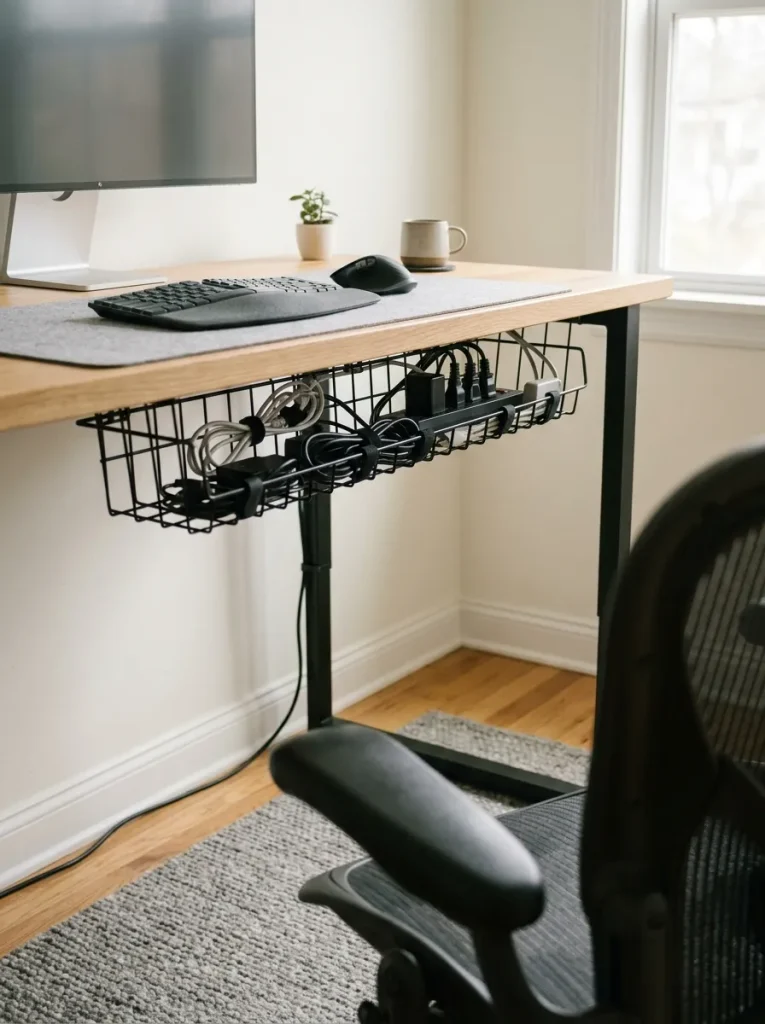
Quick Tip:
Start by unplugging your equipment and identifying which cables belong to each device. Group related wires with reusable hook-and-loop ties, then route them through a cable tray attached beneath the desktop. Keep power connections accessible and follow the manufacturer’s instructions for electrical equipment.
A tidy cable system makes cleaning easier and prevents loose wires from catching on your chair or feet. Leave enough slack for adjustable monitors and standing desks to move safely through their full range. Avoid tightly bending cables or overloading power strips. A few simple organizers can make even a basic workstation feel more orderly without adding objects to the desktop.
Ergonomic Keyboard Tray
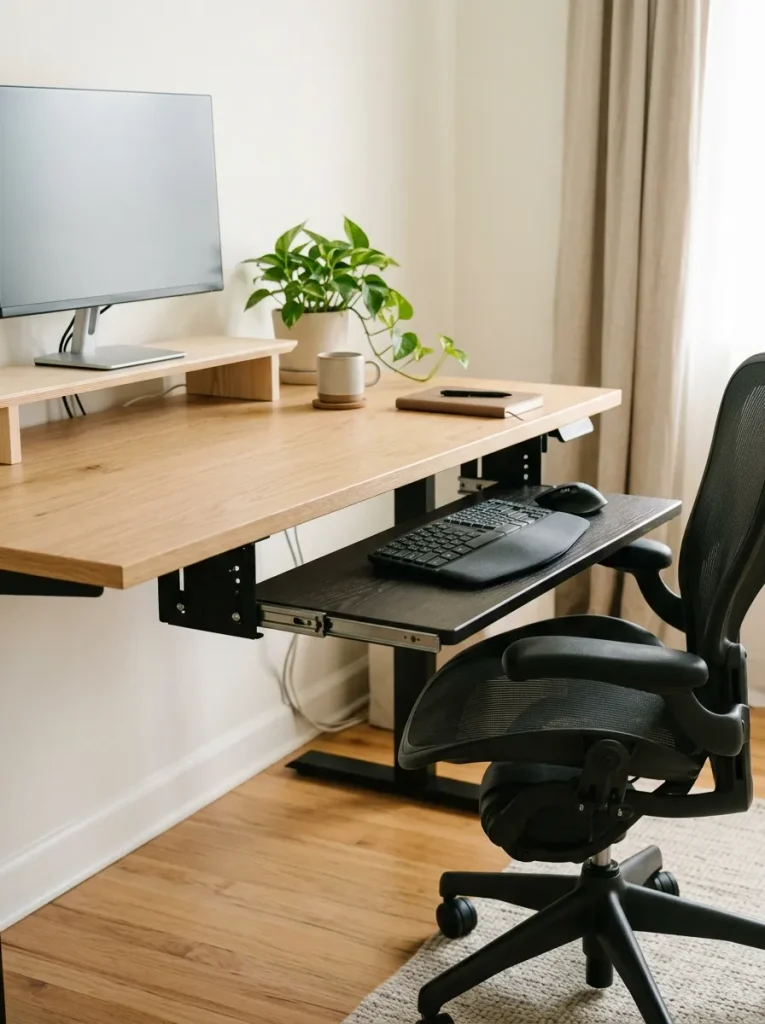
A well-positioned keyboard tray can free up desktop space while helping you find a more comfortable typing position. The key is adjusting the tray to your body rather than treating it as extra storage.
- Set the height: Position the keyboard so your elbows remain close to your body.
- Keep wrists neutral: Avoid bending your hands sharply upward or sideways.
- Place the mouse nearby: Keep it on the same level as the keyboard.
- Check knee clearance: Make sure the tray does not restrict your thighs.
- Test the movement: Choose a stable tray that locks securely in place.
This setup can be useful if your desktop sits slightly higher than your ideal typing position. However, a tray is not automatically more ergonomic. Check that it supports your keyboard and mouse comfortably and allows enough room for your legs before installing it.
Sit-Stand Desk Converter
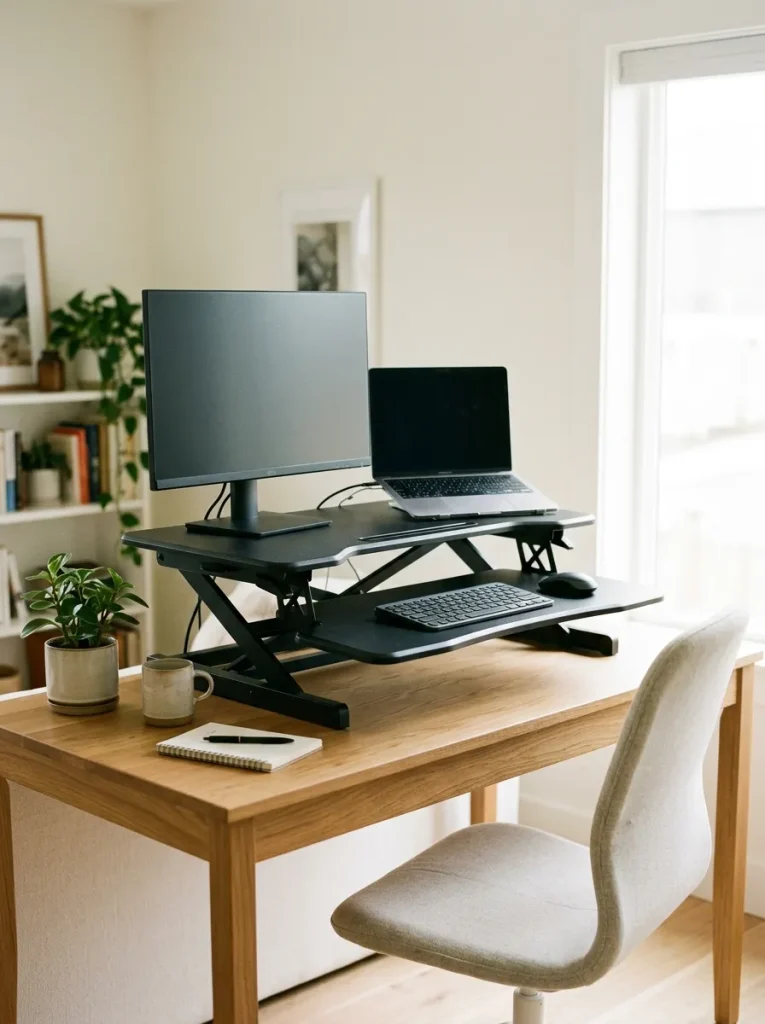
A desk converter offers a practical way to alternate between sitting and standing without replacing your existing furniture.
- Measure your desktop: Check the converter’s width, depth and required operating space.
- Check the weight limit: Confirm that it can safely support your monitor, laptop and accessories.
- Adjust the standing height: Raise the screen so you can look straight ahead.
- Position the keyboard: Keep your elbows near your sides and your wrists straight.
- Alternate positions: Change posture regularly instead of standing for long periods without a break.
This option is particularly helpful for renters, students and people working with a fixed-height desk. Choose a model with a stable lifting mechanism and enough room for your equipment. If you use two monitors, verify that the converter can support both without wobbling. You can improve your existing workspace without buying an entirely new desk.
Desk With Footrest
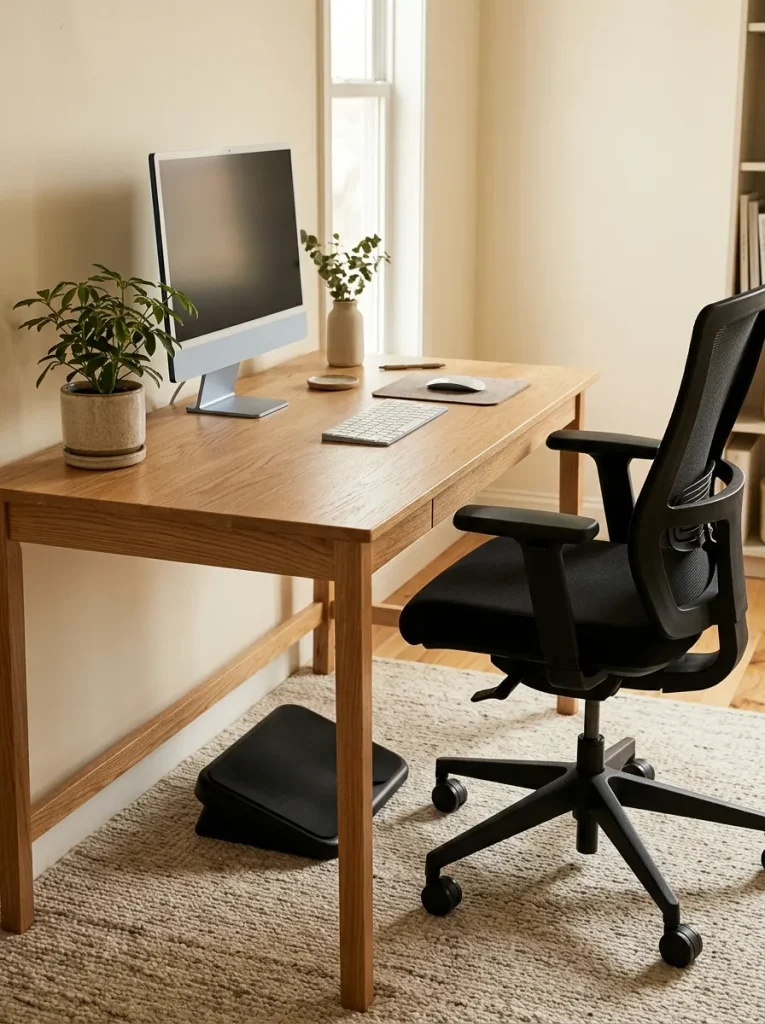
| Feature | Option A: Without Footrest | Option B: With Footrest |
| Foot support | Depends on chair height and floor contact | Adds support when feet cannot rest comfortably |
| Leg position | May leave legs unsupported | Can help maintain a more comfortable position |
| Space needed | Minimal floor space | Requires room beneath the desk |
| Best use | When feet rest flat naturally | When desk and chair heights leave feet unsupported |
A footrest can help you maintain a comfortable seated position when adjusting your chair alone does not allow your feet to rest flat on the floor. Choose a stable model with a suitable height and enough surface area for both feet. Your knees should remain comfortably bent and the footrest should not push your body away from the desk. If your feet already rest flat with good posture, you may not need one.
Window-Facing Work Desk
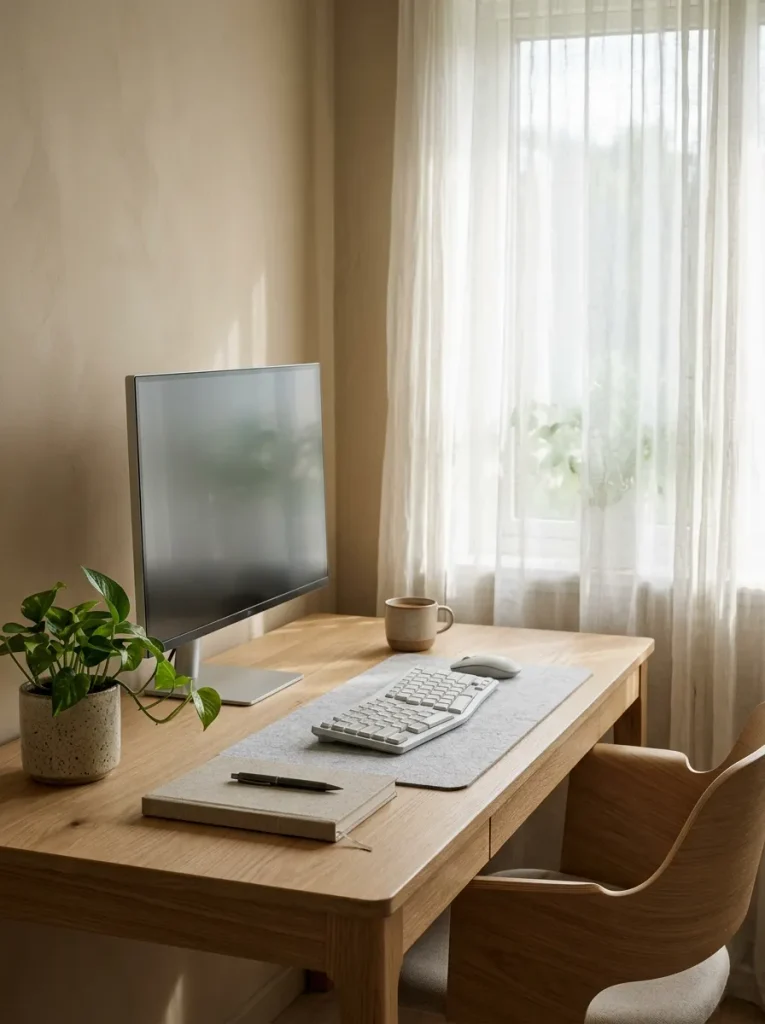
Natural daylight can make a home office feel more inviting, especially during long hours of computer work. Positioning your desk near a window gives you access to daylight while creating a pleasant view during breaks.
- Place the monitor perpendicular to the window when possible to reduce glare.
- Use sheer curtains to soften harsh sunlight.
- Keep the screen brightness comfortable for the room.
- Add an adjustable desk lamp for cloudy days and evening work.
Window placement matters more than simply facing outdoors. Direct sunlight can create reflections on your monitor, while a bright window directly behind the screen may cause distracting contrast. Adjust your desk angle throughout the setup process until the display is easy to read. This arrangement works well in bedrooms and dedicated offices with reliable natural light.
Under-Desk Storage Drawers
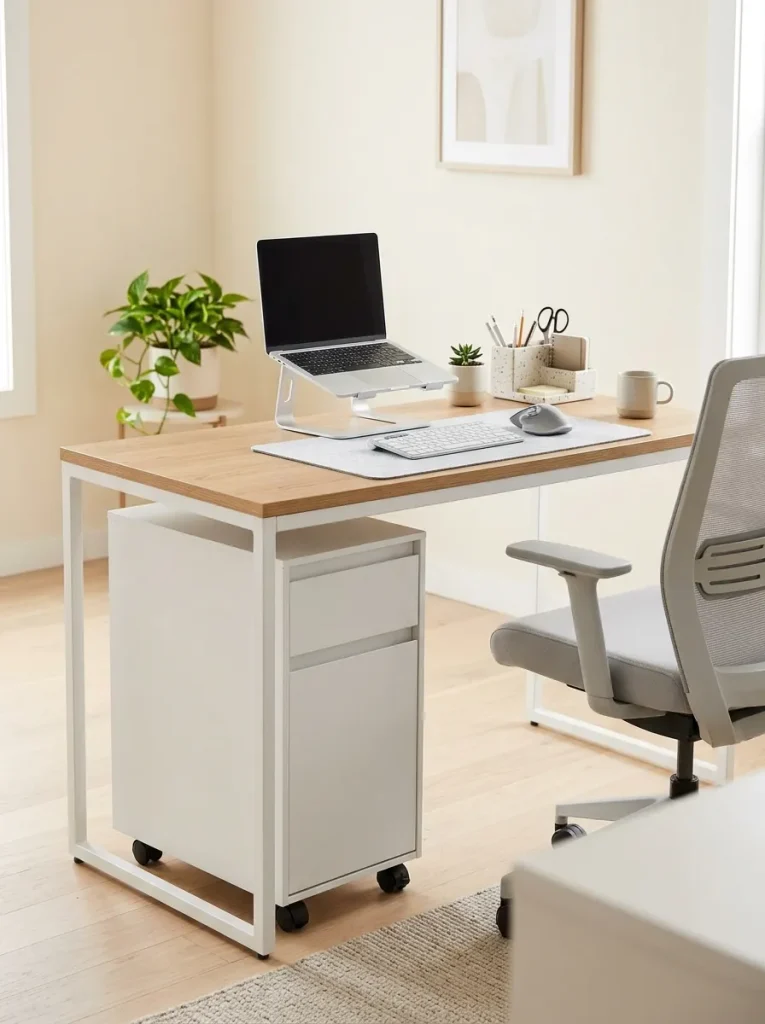
Quick Tip:
Before adding drawers, sit at your desk and check the available space beneath it. Measure your knee clearance, chair movement and the width needed to open each drawer fully.
Under-desk storage keeps supplies accessible without filling the desktop with containers. A slim rolling cabinet works well when you need flexible storage, while fixed drawers create a more integrated appearance. Store heavier items in lower drawers to improve stability and keep frequently used stationery near the top. Make sure the cabinet does not block your legs or prevent your chair from moving close enough for comfortable typing.
Dual-Purpose Desk Vanity
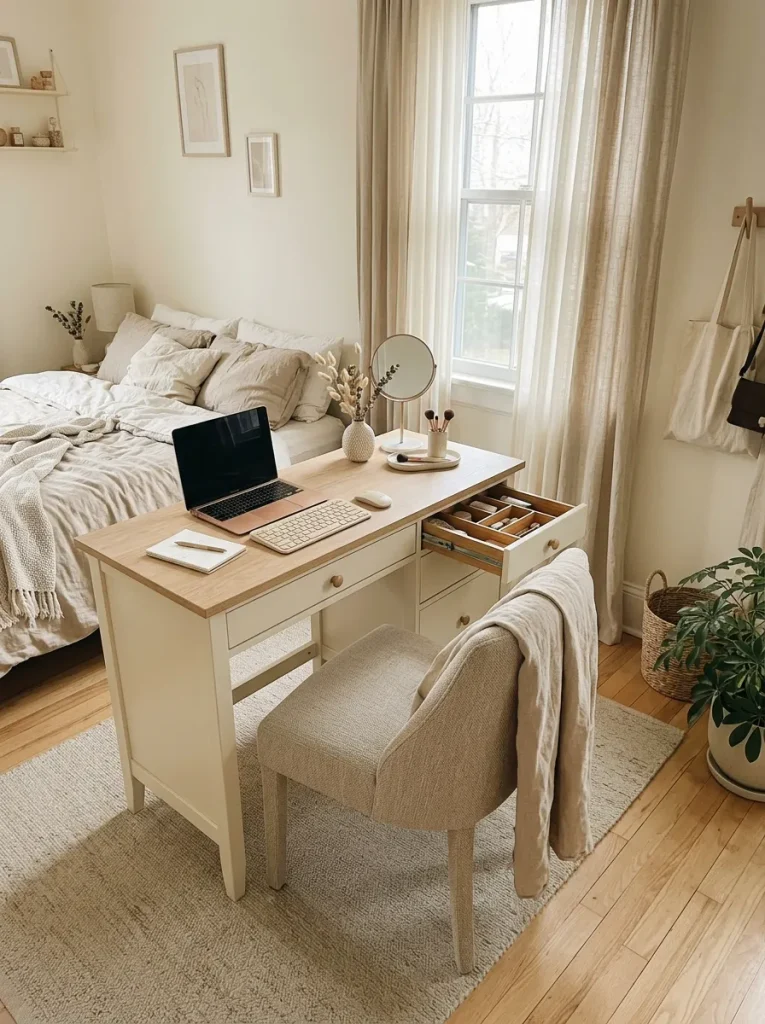
BEFORE
A bedroom with separate work and dressing tables can quickly lose valuable floor space. Beauty products may spill onto the work surface, while computer accessories compete for room with everyday essentials.
AFTER
A dual-purpose desk creates one organized area for work and personal care. A small mirror, drawer dividers and separate storage containers help keep each activity contained.
Choose a desktop wide enough to separate your laptop or monitor from your dressing items. Keep cosmetics and personal accessories in closed drawers or removable organizers, away from electronics and paperwork. During work hours, leave the main typing area clear and place the mirror to one side. This setup is especially useful in small bedrooms where every piece of furniture needs to serve a practical purpose.
Fold-Down Wall Desk
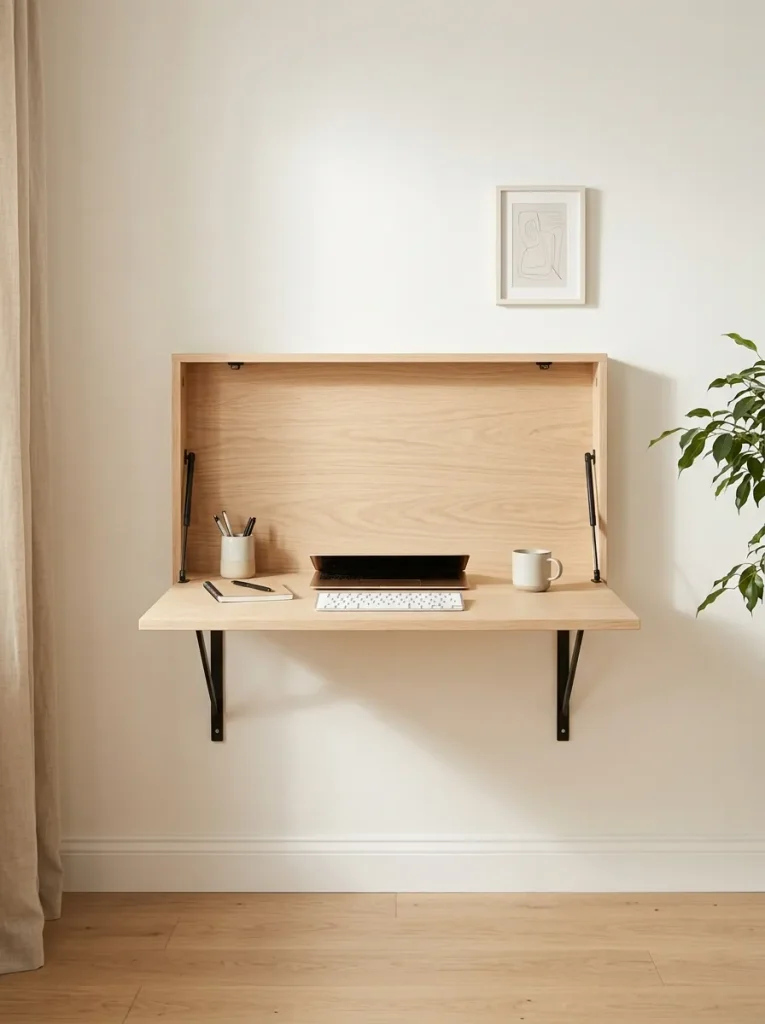
A fold-down desk gives you a dedicated work surface without permanently occupying valuable floor space. When your workday ends, the desktop can fold against the wall, making this design especially useful in studio apartments, guest rooms and compact bedrooms.
- Measure the wall: Check the available width and the desk’s open depth.
- Choose a sturdy model: Confirm the weight rating and mounting requirements.
- Position the work surface: Set it at a comfortable seated height.
- Plan your storage: Keep the laptop and accessories in a nearby cabinet or shelf.
- Check the folding path: Make sure the desktop opens fully without hitting furniture.
A fold-down model works best for lightweight equipment and simple daily tasks. If you use a large monitor, verify that the open desk provides enough depth and that the wall supports the installation. Keep the floor area clear so your chair can move close to the work surface.
Adjustable Monitor Arm Desk
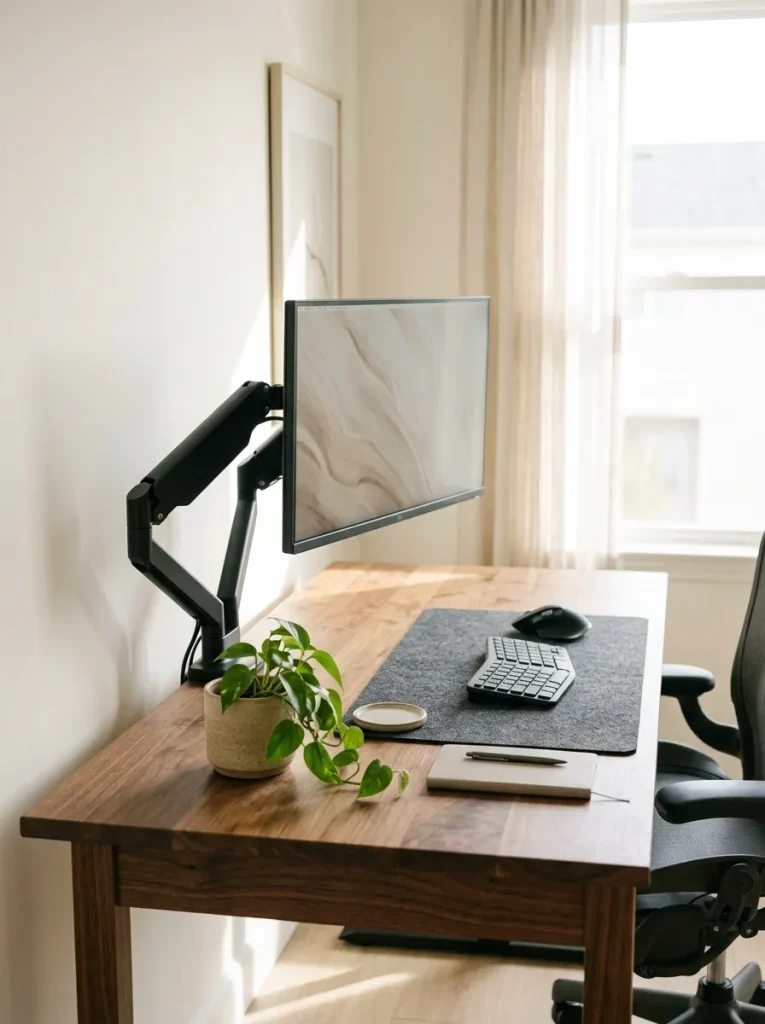
A monitor arm frees up desk space and makes screen positioning easier to adjust throughout the day. Unlike a fixed stand, a movable arm can help you place the display at a comfortable height and distance.
- Check compatibility: Confirm that the monitor supports the arm’s mounting standard.
- Verify weight limits: Match the arm to your monitor’s weight and size.
- Position the screen: Keep the top of the display around eye level, adjusting for comfort and screen size.
- Manage the cables: Use the arm’s cable clips where available.
- Test stability: Tighten the mounting hardware according to the manufacturer’s instructions.
This arrangement is useful for people who frequently change their working position or need extra room for notebooks and paperwork. A monitor arm also makes it easier to adjust the display angle and reduce reflections. Before buying, check the desk’s thickness and construction to ensure the clamp or mounting system fits securely.
Two-Tone Office Desk
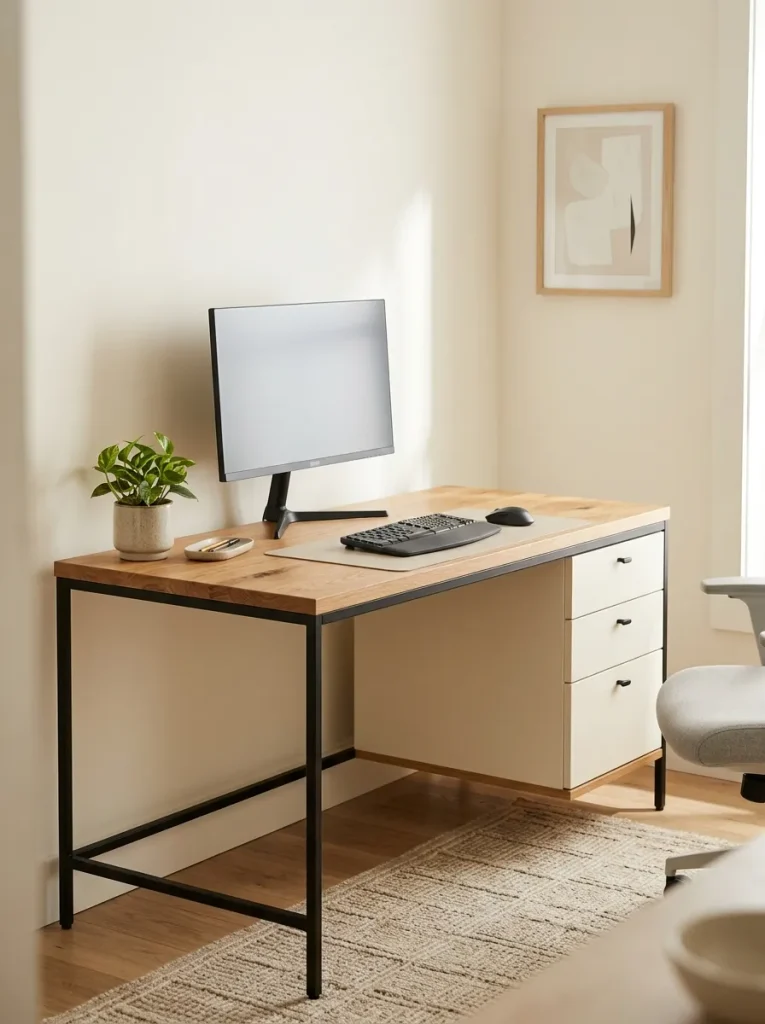
Cost: Moderate, depending on materials and construction.
Style: Modern, Scandinavian or industrial.
Best For: Bedrooms, shared workspaces and minimalist offices.
Color Palette: Natural oak, matte black and warm cream.
Result: A visually defined workstation with a balanced mix of warm and cool finishes.
A two-tone desk adds visual interest without requiring bold colors or extra decoration. Choose a wood-finish desktop with a black frame for a crisp modern look or pair pale wood with cream drawers for a softer appearance. Coordinate the chair and accessories with one of the desk’s existing colors. For a cohesive workspace, keep large surfaces neutral and introduce stronger colors through small, replaceable items.
Treadmill Walking Desk
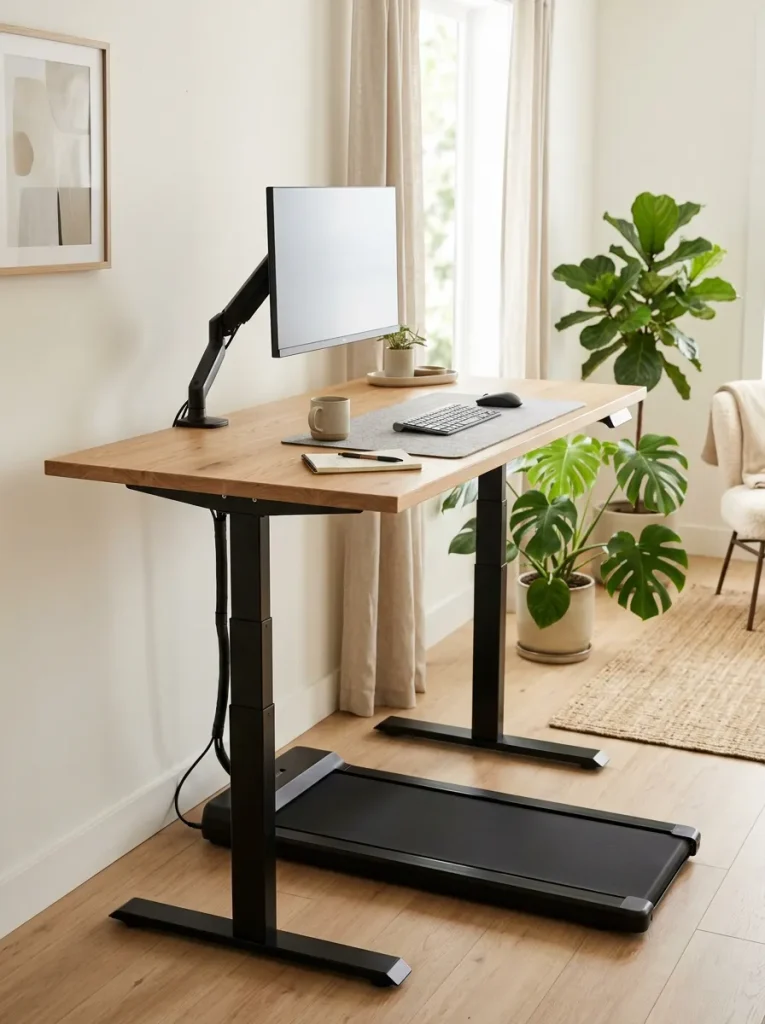
A walking desk can help break up long periods of sitting while allowing you to handle simple work tasks. The setup combines a stable desk with a compact treadmill designed for walking during computer use.
- Choose a compatible treadmill: Confirm that it is designed for under-desk use.
- Set a comfortable screen height: Keep your head upright instead of looking down.
- Start slowly: Begin at a gentle walking speed while handling simple tasks.
- Secure loose cables: Keep all wires away from moving parts.
- Separate demanding tasks: Stop walking when precision, balance or concentration becomes difficult.
This arrangement is best for people who have enough floor space and enjoy light movement during routine tasks. Start with short sessions and follow the treadmill manufacturer’s safety guidance. Keep the walking area clear, use appropriate footwear and avoid walking while performing tasks that require your full attention.
Built-In Bookshelf Desk
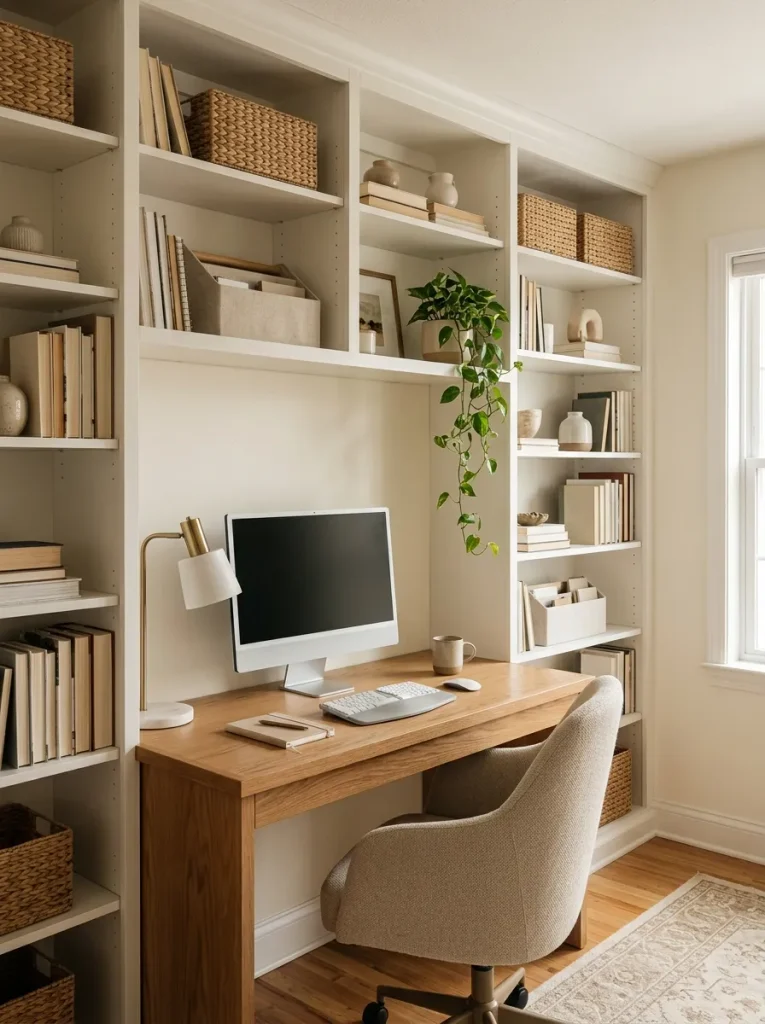
A desk built into a bookshelf creates a dedicated workstation with storage right where you need it. Books, reference materials and office supplies stay close without taking over the desktop.
- Plan the desk height: Choose a comfortable seated working position.
- Reserve monitor space: Leave enough depth to position your screen properly.
- Organize shelves by use: Keep daily supplies nearby and occasional items higher up.
- Add closed storage: Use baskets or cabinet doors to conceal small clutter.
- Check structural support: Ensure the desk and shelving can safely support their intended loads.
This design works well in a dedicated study, living room alcove or spare bedroom. Keep the shelf immediately above your monitor high enough to avoid restricting screen placement. If you are planning a custom installation, account for chair clearance, electrical outlets and cable routing before building the unit.
Rustic Farmhouse Desk
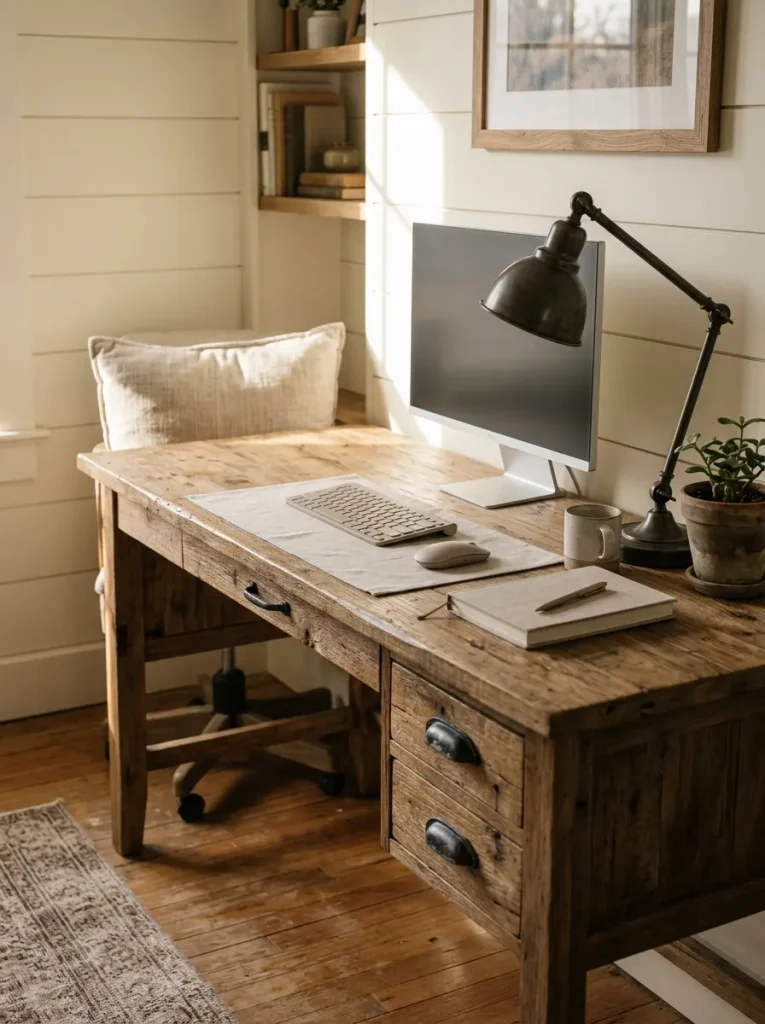
| Feature | Option A: Rustic Wood Desk | Option B: Painted Farmhouse Desk |
| Main finish | Visible wood grain | White, cream or muted gray paint |
| Overall style | Warm and traditional | Light and airy |
| Maintenance | Depends on the wood finish | May need touch-ups if paint chips |
| Best pairing | Black metal or leather accents | Natural wood and soft textiles |
| Visual effect | Rich, textured surface | Brighter, softer appearance |
A farmhouse desk adds natural texture and character to a home office. Choose a smooth, stable desktop that gives your monitor, keyboard and mouse enough room, even if the furniture has a distressed finish. Avoid rough edges where your arms rest and check that decorative drawer handles do not interfere with your chair. Pair the desk with a supportive adjustable chair to balance its traditional appearance with everyday comfort.
Industrial Metal Frame Desk
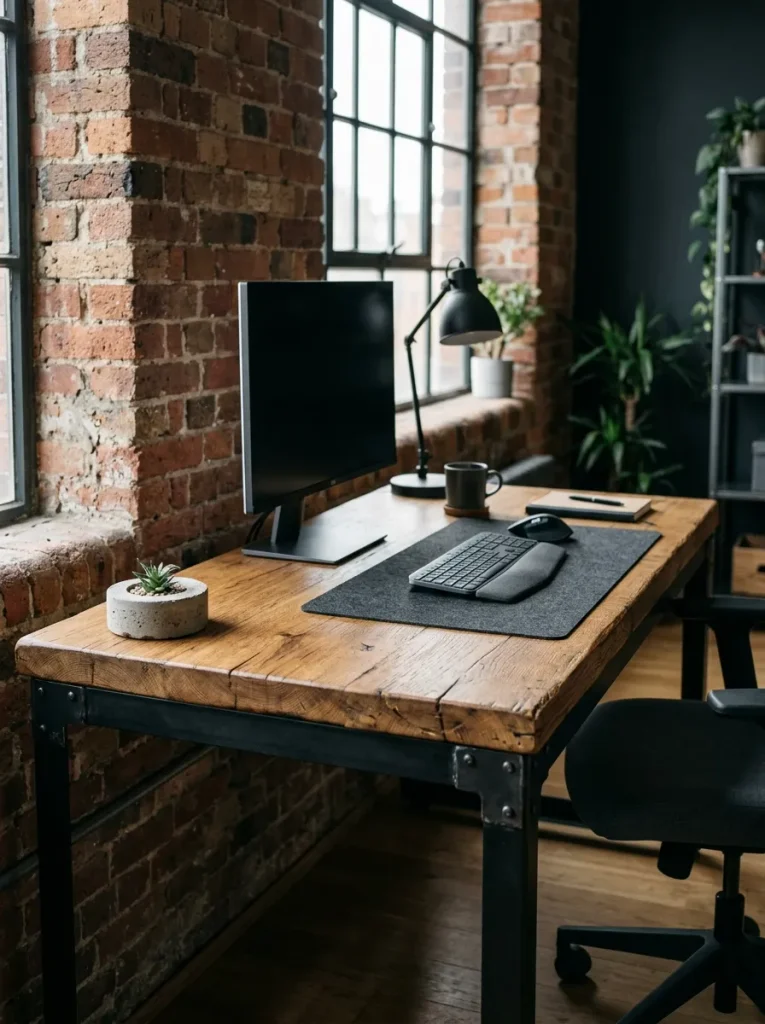
DO
- Choose a sturdy steel frame that keeps the desktop stable.
- Select a smooth wood surface with enough depth for your monitor.
- Add cable clips beneath the tabletop for a cleaner appearance.
- Pair the desk with an adjustable chair and comfortable foot support.
DON’T
- Don’t sacrifice legroom for decorative crossbars.
- Don’t ignore the desk’s weight capacity.
- Don’t position the monitor where window reflections obscure the screen.
- Don’t overload the desktop with heavy accessories.
An industrial desk combines practical construction with a distinctive mix of metal and wood. Its open frame can make storage easier, but the crossbars and legs should not interfere with your knees. Measure the usable space beneath the desktop before purchasing. This style works particularly well in modern apartments, loft-inspired rooms and neutral home offices.
Curved Edge Office Desk
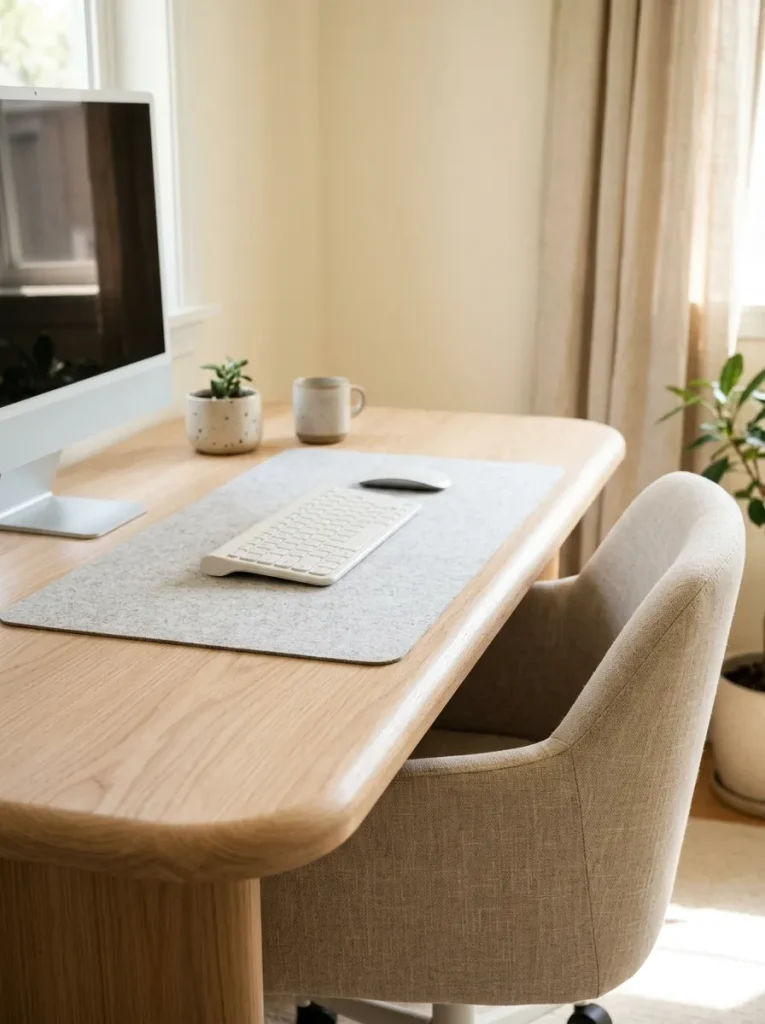
Cost: Low to moderate for a desk with a simple rounded edge, depending on construction.
Best For: Small home offices, bedrooms and minimalist interiors.
Comfort Feature: A smoothly finished front edge where your forearms may rest.
Style: Scandinavian, contemporary or soft modern.
Maintenance: Clean according to the desktop material’s care instructions.
A curved-edge desk softens the appearance of a workspace while providing a comfortable front edge for everyday typing. Look for a rounded profile that does not reduce the usable desktop area too much. Check the finish carefully, especially if the desk uses veneer or laminate. Pair it with a chair that allows you to sit close to the keyboard without pressing your forearms against a sharp edge.
Desk With Adjustable Legs
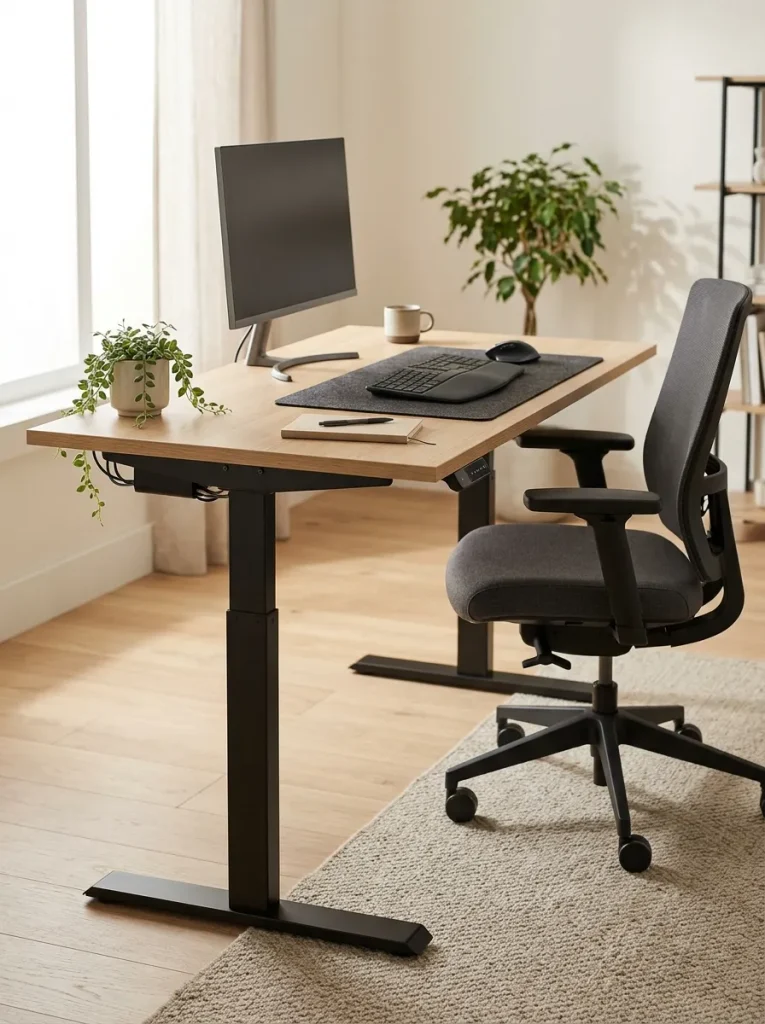
A desk with adjustable legs can help you achieve a more comfortable working height when a standard desk feels too high or too low.
Quick Tip:
Check the desk’s adjustment range before buying. Make sure it can reach a height that keeps your elbows near your sides and your wrists straight while typing. If the legs adjust manually, confirm that the mechanism is secure and easy to operate.
Adjustable legs are especially useful for shared workspaces where people of different heights use the same desk. After setting the height, check your chair position, foot support and monitor level together. Changing the desktop height may also require repositioning your screen and keyboard. The goal is a coordinated setup that supports a relaxed posture, not simply a desk that looks level.
Desk With Hidden Storage
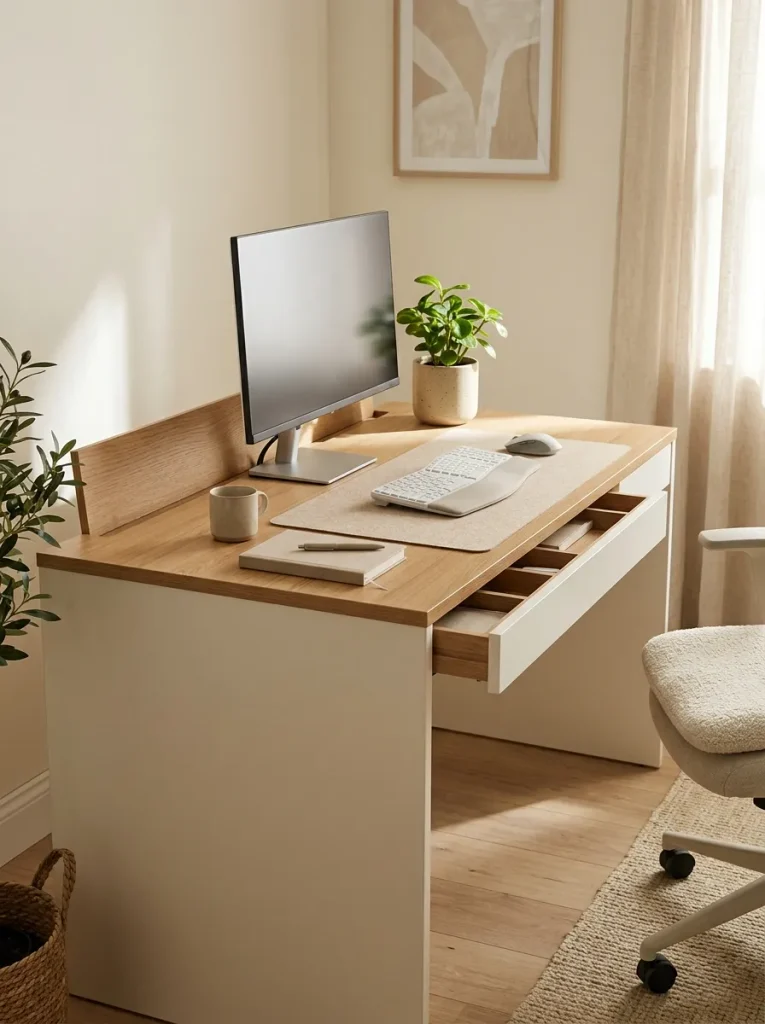
- Concealed compartments: Store chargers, stationery and small accessories out of sight.
- Shallow organizers: Separate paper clips, pens and other small supplies.
- Hidden cable channels: Route wires behind the desktop to reduce visual clutter.
- Drawer dividers: Keep everyday tools organized and easy to find.
- Clear work surface: Leave room for your keyboard, mouse and current task.
Hidden storage keeps a home office looking neat without requiring extra cabinets. Choose a desk with compartments that open easily and do not interfere with your legs. Keep frequently used items in the most accessible spaces, while reserving deeper storage for occasional supplies. This design is especially useful when your workstation is visible from the living room or bedroom.
Desk With LED Lighting
Quick Tip:
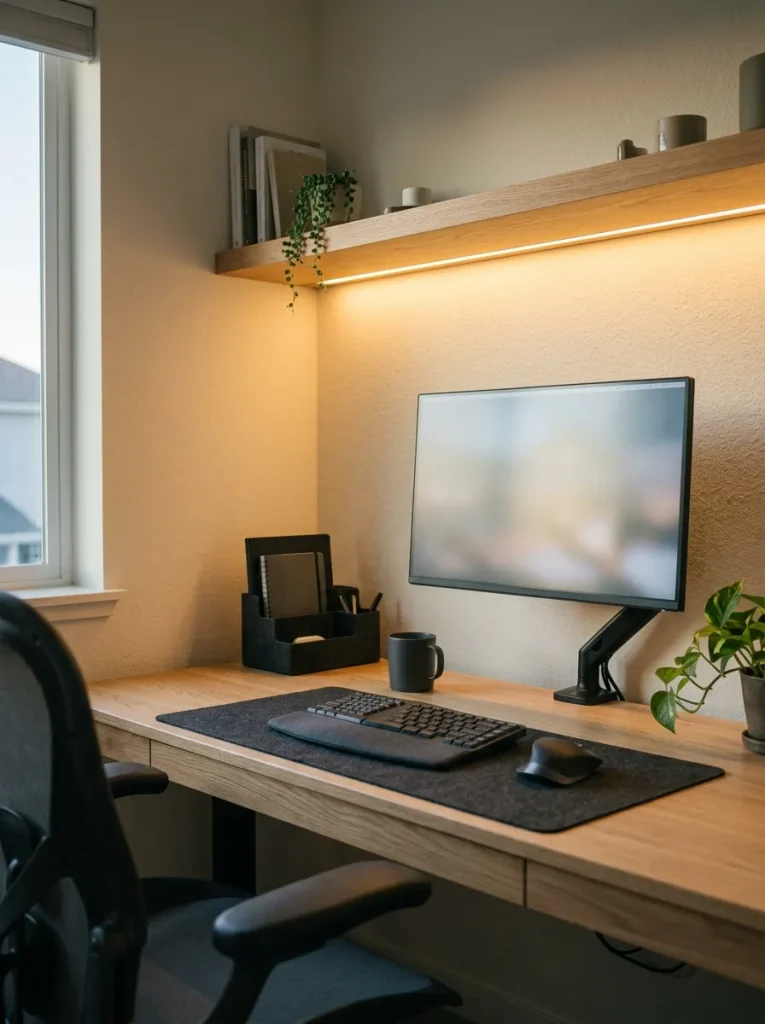
Choose adjustable LED lighting with brightness controls and position the light so it does not reflect directly on your monitor. Use a neutral or warm setting that feels comfortable for your work and keep the room’s general lighting on rather than relying on accent lights alone.
LED strips can add a polished finish to your workstation while providing gentle background illumination. Install them beneath a shelf or along the rear edge of the desk to keep the light source out of direct view. Secure all cables and follow the manufacturer’s installation instructions. For detailed tasks such as reading documents or writing notes, add a dedicated desk lamp with adjustable brightness.
Personalized Ergonomic Desk
BEFORE
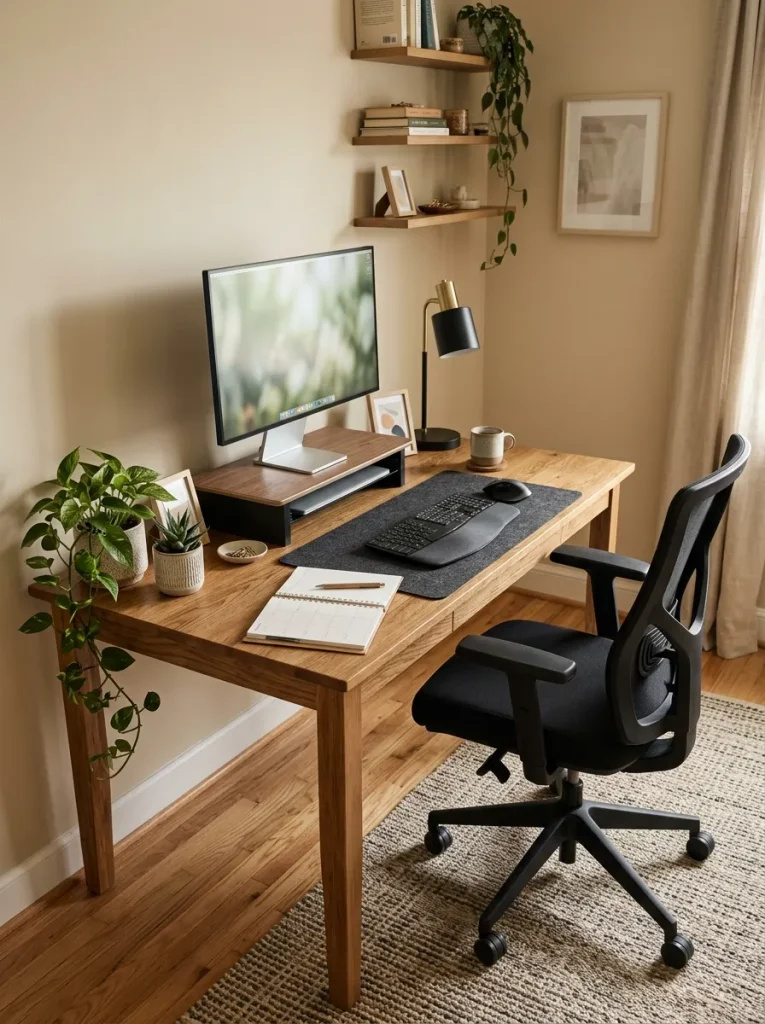
A desk copied from an inspiration photo may look attractive but still feel uncomfortable. The monitor might sit too low, the chair may not fit the desk and everyday supplies may be difficult to reach.
AFTER
A personalized workstation matches your height, equipment, habits and available room. The monitor sits at a comfortable viewing level, the keyboard stays within easy reach and essential items have designated places.
Start by adjusting your chair, then position your keyboard and monitor around your natural sitting posture. Keep your feet supported, your shoulders relaxed and your wrists straight while typing. Add storage and lighting based on your actual routine rather than buying accessories simply because they look appealing. The most useful desk is one that supports your daily work comfortably and consistently.
CONCLUSION
Creating a comfortable workspace doesn’t require a complete office makeover. The right desk, supportive chair, thoughtful storage and proper screen positioning can help you build a setup that feels organized and practical.
These Home Office Desk Ideas offer inspiration for every kind of workspace, from compact bedroom corners to spacious executive offices. Start with the change that would help you most, whether that’s improving your posture, clearing clutter or making better use of limited space.
Save this article on Pinterest so you can revisit your favorite designs, try an idea that fits your needs and share this guide with someone planning a home office. Your ideal workspace starts with one simple step.